View Art In Your Home Before You Buy
Eager to know how an artwork will look in your home before buying it? Saatchi Art makes it easy with augmented reality. You can virtually “hang” art on your own wall by clicking ‘View In My Room’ from any product page on your mobile device. Try out various sizes, styles, and orientations to see what looks best in your space. Then, you can easily save the virtual photo so you can compare how all the artworks look afterward.
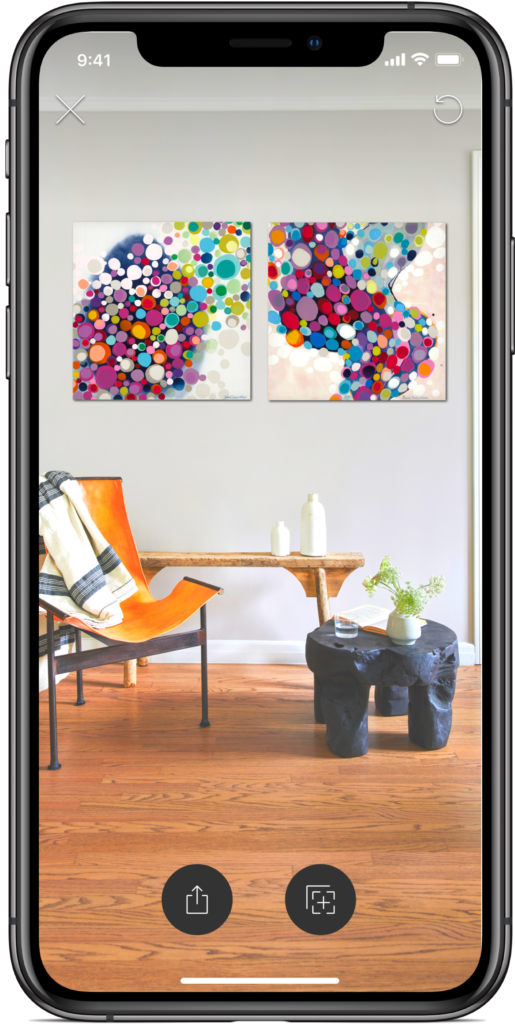
Art lovers now have an effective tool for envisioning artwork in their space before they buy.
With the View in a Room feature, you can see the depth of the artwork, dimension, and perspective in a 3D space, giving a realistic preview of what a work will look like on your wall in just four simple steps.
1. Open saatchiart.com from your mobile device and find an artwork you love
2. Click ‘View in My Room’
3. Align the markers according to the instructions
4. Tap your screen to make the artwork display on your wall
By pairing the new augmented reality feature with one-on-one access to a world-class art advisory team, Saatchi Art makes art buying an easy and enjoyable experience. Try this new feature out for yourself. Our expert curators have put together a collection of works that are great for rooms of all sizes.